
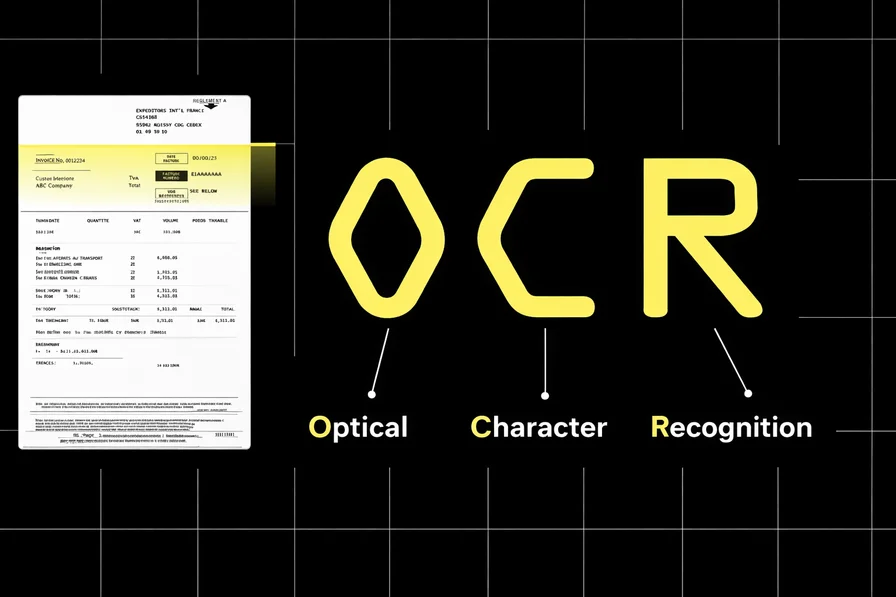
OCR
Extract text from images with customizable prompts. Supports OCR, formula extraction (LaTeX), table parsing (HTML/Markdown), and structured data extraction (JSON).
Bynn OCR
The Bynn OCR model extracts text and structured data from images using advanced vision-language AI. Unlike traditional OCR engines that rely on character-level pattern matching, this model understands the visual layout, semantic content, and context of documents — enabling it to handle complex tables, mathematical formulas, handwriting, and structured data extraction from a single endpoint.
The Challenge
Documents come in countless formats: printed reports, handwritten notes, receipts, invoices, scientific papers with formulas, and forms with structured fields. Traditional OCR handles clean printed text well but struggles with complex layouts, mixed content types, and unstructured documents.
Modern applications need more than raw text extraction. They need to preserve table structure, render formulas as LaTeX, parse receipts into structured JSON, and handle multilingual documents — all without building separate pipelines for each use case. A single model that adapts its output format based on what you ask for eliminates this complexity.
Model Overview
The Bynn OCR model uses a multimodal encoder-decoder architecture with integrated layout analysis. When given an image and a prompt, it performs two-stage processing: first analyzing the document layout, then extracting content according to your instructions.
The content parameter controls what the model extracts and in what format. Different prompts produce different output formats — plain text, LaTeX, HTML tables, or structured JSON — all from the same model and endpoint.
Prompt Scenarios
The model supports two types of prompt scenarios:
1. Document Parsing
Extract raw content from documents using one of the built-in task prompts:
| Prompt | Output Format | Use Case |
|---|---|---|
Text Recognition: | Plain text | General OCR — extracts all visible text as plain text with no formatting |
Formula Recognition: | LaTeX | Extracts mathematical formulas and equations as LaTeX notation |
Table Recognition: | HTML / Markdown | Extracts tabular data preserving rows, columns, and structure |
If no content prompt is provided, the model defaults to Text Recognition: and returns plain text.
2. Information Extraction
Extract structured information by providing a JSON schema as the prompt. The model reads the document and populates the schema fields with values found in the image.
Example — extracting fields from an ID card:
Extract the following information as JSON: { "id_number": "", "last_name": "", "first_name": "", "date_of_birth": "", "address": { "street": "", "city": "", "state": "", "zip_code": "" }, "dates": { "issue_date": "", "expiration_date": "" }, "sex": "" }Plain Text
Example — extracting receipt data:
Extract as JSON with fields: store, date, items, totalPlain Text
Important: When using information extraction, the output must strictly adhere to the defined JSON schema to ensure downstream processing compatibility. Structure your prompts with the exact fields you need.
Controlling Output Format
The content prompt is the only mechanism for controlling output format. There is no separate format parameter.
- Plain text (no formatting): Use
Text Recognition: - LaTeX: Use
Formula Recognition:or a custom prompt likeExtract the mathematical formula as LaTeX - HTML/Markdown tables: Use
Table Recognition:or a custom prompt likeConvert this table to HTML - Structured JSON: Provide a JSON schema in the prompt describing the fields to extract
The built-in task prompts (Text Recognition:, Formula Recognition:, Table Recognition:) produce the most predictable output. Custom prompts offer flexibility but may include additional formatting. If the model returns formatting you do not want, switch to the corresponding built-in prompt.
PDF Support
The OCR model supports multi-page PDF documents. Each page is processed as a separate OCR inference and billed individually at the same per-request rate as a single image (i.e., $0.015 per page). There is no page limit — all pages in the PDF will be processed.
To submit a PDF, use the base64_pdf parameter instead of base64_image or image_url. The content prompt applies to every page.
PDF response structure:
{ "text": "Combined text from all pages separated by ---", "pages": [ { "page": 1, "text": "Page 1 text...", "success": true }, { "page": 2, "text": "Page 2 text...", "success": true } ], "total_pages": 2 }Plain Text
Response Structure
The API returns a structured JSON response containing:
- text: The extracted content in the format determined by your prompt
Performance Metrics
| Metric | Value |
|---|---|
| Accuracy | 95.0% |
| Average Response Time | 2,000–10,000ms (varies with document complexity) |
| Max Output Length | 8,192 tokens |
| Max File Size | 20MB |
| Supported Formats | JPEG, PNG, GIF, WebP, TIFF, BMP, PDF |
| Languages | Full support for English & Chinese; other languages require specific prompts |
Use Cases
- Document Digitization: Convert scanned documents, receipts, and invoices into machine-readable text
- Data Entry Automation: Extract structured fields from forms, ID cards, and certificates into JSON for automated processing
- Table Extraction: Parse complex tables from reports and spreadsheet images into HTML or Markdown
- Scientific Content: Extract mathematical formulas and equations as LaTeX for academic and research applications
- Handwriting Recognition: Digitize handwritten notes, letters, and annotations
- Receipt Processing: Extract line items, totals, dates, and merchant information from receipts and invoices
Known Limitations
Important Considerations:
- Response Time: As a generative model, response times are longer than classification models. Complex documents with dense text or large tables take longer to process
- Handwriting Quality: Handwritten text recognition accuracy varies significantly with legibility — clean handwriting produces much better results than cursive or messy writing
- Complex Layouts: Documents with highly complex multi-column layouts, overlapping text regions, or unusual orientations may produce less structured output
- Language Support: Full support for English and Chinese. Other languages are supported but may require very specific prompts to achieve accurate extraction
- JSON Schema Compliance: Information extraction output follows the provided schema structure, but may omit fields when the corresponding information is not found in the image
Disclaimers
- Verification Required: Extracted text should be verified for critical applications such as legal documents, financial records, or medical information
- Not a Replacement for Certified OCR: For regulated industries requiring certified document processing, use this model as a first-pass extraction tool with human verification
- Image Quality Matters: Higher resolution images with good contrast produce significantly better results. Blurry, low-contrast, or heavily compressed images may yield incomplete extractions
API Reference
Input Parameters
OCR model for text extraction from images and PDFs with customizable prompts
image_urlstringURL of image to extract text from
https://example.com/document.jpgbase64_imagestringBase64-encoded image data
base64_pdfstringBase64-encoded PDF data. Each page is processed separately and billed per page. No page limit.
contentstringCustom prompt for text extraction. Defaults to 'Text Recognition:'. Examples: 'Extract as JSON', 'Convert table to HTML', 'Extract LaTeX formula'
Text Recognition:Response Fields
Extracted text content from the image
textstringExtracted text from the image
Hello World
This is extracted text.
Complete Example
Request
{
  "model": "vlm-ocr",
  "image_url": "https://example.com/document.jpg",
  "content": "Text Recognition:"
}
Response
{
  "success": true,
  "data": {
    "text": "Invoice #12345\nDate: 2024-01-15\nTotal: $299.99"
  }
}
Additional Information
429 HTTP error code along with an error message. You should then retry with an exponential back-off strategy, meaning that you should retry after 4 seconds, then 8 seconds, then 16 seconds, etc.Ready to get started?
Integrate OCR into your application today with our easy-to-use API.